

Finding high-performance web hosting usually forces you into a frustrating trade-off. On one hand, cheap shared hosting services like Bluehost or Hostinger promise low entry prices, only to choke on server resources, throttle CPU performance, and trigger dreaded 504 gateway timeouts the second your traffic spikes. On the other hand, fully managed enterprise WordPress platforms like Kinsta and WP Engine offer remarkable speed, but they charge steep monthly fees and impose strict visit limits that penalize your site for growing.
That structural bottleneck is why Cloudways has become the go-to infrastructure choice for performance-focused bloggers, e-commerce brands, and agency owners in 2026.
Instead of locking you inside a crowded shared server or hitting you with arbitrary visitor caps, Cloudways strips away the traditional hosting model. It provides a customized, user-friendly management dashboard sitting directly on top of world-class unmanaged cloud giants: DigitalOcean, Amazon Web Services (AWS), and Google Cloud Platform (GCP).
Choosing the right setup is rarely straightforward. With multiple cloud providers, varying hardware configurations (Standard vs. Premium droplets), hourly pay-as-you-go billing, and essential paid add-ons, picking the wrong tier can either burn through your budget or leave your database under-resourced.
This deep architectural guide breaks down every tier across the Cloudways plans lineup, untangles how their billing works, highlights the real server costs, and reveals the exact plan matching your site’s scale.
Understanding the Cloudways Pricing Model (How Does It Actually Work?)
Before deploying your first server, comparing the official Cloudways plans helps you avoid overpaying for idle computing resources.

When you purchase an account, Cloudways deploys an isolated cloud server directly inside your chosen infrastructure provider’s data center, pre-configures a custom performance stack (Nginx, Apache, PHP-FPM, MySQL, MariaDB, and Redis), and gives you a visual dashboard to manage it all without touching a command-line terminal.
Pay-As-You-Go vs. Traditional Fixed Annual Billing
Traditional shared web hosts demand that you pay for 12, 24, or 36 months upfront just to unlock a promotional rate. If you cancel early or outgrow your package in month three, your money remains locked up.
Cloudways operates entirely on an hourly, utility-style billing structure:
- Zero Long-Term Lock-ins: You are billed at the end of each billing cycle exclusively for the hours your server was active.
- Pro-Rated Upgrades & Downgrades: If you launch an 8GB server for a 4-day flash sale or seasonal marketing campaign and delete it afterward, you only pay for those 96 hours of operational uptime.
- Server State Billing: Even if you turn off or stop an application, the underlying cloud instance remains allocated in the provider’s data center (holding your dedicated IP, RAM, and SSD disk block). To completely halt billing, you simply clone or backup your site and delete the server instance.
The Managed Layer: What Are You Paying Cloudways For?
If an unmanaged DigitalOcean droplet costs $6/month directly, why pay Cloudways starting at $11 to $14/month for the same instance?
Your WordPress Website
Your themes, plugins, custom code, and database content running smoothly.
What Cloudways Handles Automatically
Dedicated Hardware (DigitalOcean / AWS / GCP)
You are paying for the management abstraction layer. Raw servers require you to manually install web servers, write Nginx reverse-proxy rules, patch Linux kernel vulnerabilities, configure UFW firewalls, and manually resolve MySQL database corruption via SSH.
Cloudways automates this technical overhead entirely, giving you dedicated server performance paired with the usability of a standard WordPress control panel.
Detailed Breakdown of Cloudways Plans by Cloud Provider
Cloudways organizes its fleet across three primary cloud infrastructure providers. Each offers distinct price-to-performance profiles depending on whether your site serves static editorial content or executes complex, dynamic PHP queries.
| Cloud Provider | Tier / Configuration | vCPU | RAM | Storage | Bandwidth | Monthly Cost | Primary Best-Use Case |
|---|---|---|---|---|---|---|---|
| DigitalOcean | Standard Entry | 1 Core | 1 GB | 25 GB SSD | 1 TB | $11.00 /mo | Staging sites, low-traffic static portfolios |
| DigitalOcean | Premium Sweet Spot | 1 Core | 1 GB | 25 GB NVMe | 1 TB | $14.00 /mo | Niche content blogs, affiliate sites (<30k visits) |
| DigitalOcean | Premium Workhorse | 1 Core | 2 GB | 50 GB NVMe | 2 TB | $28.00 /mo | High-traffic blogs, small WooCommerce shops |
| DigitalOcean | Premium Scale | 2 Cores | 4 GB | 80 GB NVMe | 4 TB | $54.00 /mo | Heavy WooCommerce, membership portals, LMS |
| DigitalOcean | Premium Agency | 4 Cores | 8 GB | 160 GB NVMe | 5 TB | $99.00 /mo | Multisite networks, 15-25 client sites |
| AWS (Amazon) | Small Compute | 2 vCPU | 2 GB | 20 GB Config | 2 GB Config | ~$38.56 /mo | Corporate portals, mission-critical uptimes |
| AWS (Amazon) | Medium Compute | 2 vCPU | 4 GB | 20 GB Config | 2 GB Config | ~$86.77 /mo | High-load checkout processes, global brands |
| Google Cloud | GCE Starter | 2 vCPU | 1.75 GB | 20 GB Config | 2 GB Config | ~$37.45 /mo | Complex database processing, global media |
| Google Cloud | GCE Balanced | 2 vCPU | 3.75 GB | 20 GB Config | 2 GB Config | ~$75.33 /mo | Enterprise applications, heavy concurrent loads |
1. DigitalOcean Plans (The Budget-Friendly & High-ROI Option)
For more than 85% of bloggers, affiliate marketers, and small businesses, DigitalOcean represents the sweet spot of the entire Cloudways roster. It combines predictable, flat-rate bandwidth packages with accessible entry pricing.
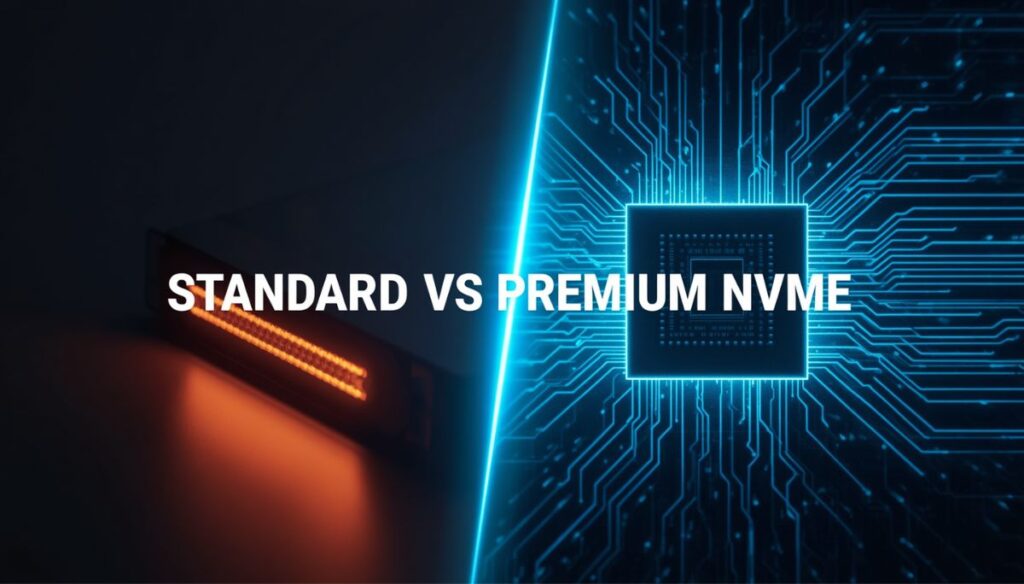
Standard Droplets (Older Gen CPUs / Regular SSD)
VS
Premium Droplets (Intel Xeon Scalable / High-Frequency AMD EPYC + NVMe SSD)
Standard vs. Premium Droplets
When deploying DigitalOcean on Cloudways, you are prompted to choose between Standard and Premium droplets.
- Standard Droplets ($11/mo for 1GB): Built on older-generation hardware utilizing standard SATA-based solid-state drives. They handle baseline read requests adequately but can struggle under concurrent write loads.
- Premium Droplets ($14/mo for 1GB): Built with higher-frequency Intel Xeon Scalable or 2nd Gen AMD EPYC processors matched with ultra-fast NVMe storage drives.
NVMe drives handle Input/Output Operations Per Second (IOPS) drastically better than standard SSDs. Because modern WordPress administrative tasks, Elementor editing, WooCommerce checkout carts, and database lookups are heavily dependent on disk I/O and single-core CPU frequency, the Premium droplet tier is well worth the extra $3 per month.
Why DigitalOcean Dominates for Content Sites
Unlike AWS or Google Cloud—where incoming and outgoing network transfer is metered and billed per gigabyte—DigitalOcean plans bundle generous bandwidth allowances (starting at 1TB on the smallest plan). This protects high-traffic editorial websites from bandwidth billing shocks when viral traffic spikes hit.
2. Amazon Web Services (AWS) Plans (For Enterprise & Heavy Scalability)
AWS instances on Cloudways cater to high-end businesses, enterprise brands, and mission-critical applications that demand high reliability, fault tolerance, and comprehensive regional availability.
AWS Cloud Architecture on Cloudways:
[Configurable Disk Storage] <—> [EC2 Compute Instance] <—> [Configurable Data Transfer]
Dynamic Pricing Structure and Configurable Bandwidth
Unlike DigitalOcean’s bundled pricing, Cloudways treats AWS compute power, disk space, and bandwidth as modular components:
- The base price covers the underlying EC2 compute instance and Cloudways management stack.
- Storage is attached via Amazon EBS (Elastic Block Store) and billed separately based on the gigabytes you provision.
- Bandwidth is strictly pay-per-use, billed according to outbound data transfer rates across specific AWS availability zones.
High Availability & Global Datacenter Coverage
AWS operates data centers in regions where smaller providers lack infrastructure. If your audience is concentrated in specific enterprise hubs, or if company compliance dictates storing customer data inside dedicated AWS infrastructure, these instances provide enterprise stability.
Enterprise organizations handling mission-critical data typically configure custom AWS Cloudways plans for global redundancy.
3. Google Cloud Platform (GCP) Plans (Top-Tier Speed & Compute Optimization)
Google Cloud instances on Cloudways utilize Google’s global fiber network, making them suited for data-heavy applications, dynamic membership websites, and high-concurrency WooCommerce stores.
Compute-Optimized Performance
Cloudways provisions GCP Compute Engine instances designed to minimize latency:
- Google’s Premium Tier Network: Routes your website traffic over Google’s private, low-latency global fiber backbone rather than through congested public internet routing.
- High Single-Core Frequency: Excels at clearing PHP execution queues, drastically improving your Time to First Byte (TTFB) on uncached dynamic requests.
Like AWS, GCP on Cloudways decouples disk sizing and bandwidth from the compute price. You specify exact disk capacity requirements, making it a scalable choice for agencies looking to run resource-intensive web apps.

Which Cloudways Plan Should You Choose? (Real-World Use Cases)
Selecting the right server tier requires matching your site’s technical architecture with server resources. Cloudways plans are resource-isolated, meaning RAM capacity and CPU core counts directly determine how many concurrent PHP workers your installation can run simultaneously.
Low PHP Load (Static Caching) —> 1GB – 2GB RAM (DO Premium)
High Dynamic Queries (Store/LMS) —> 4GB+ RAM (DO Premium or AWS)
High-Concurrency Agencies —> 8GB – 16GB+ RAM (Multi-Site Fleet)
Scenario A: Starter Bloggers & Small Content Sites (< 50k Pageviews/mo)
- Recommended Plan: DigitalOcean Premium 1GB or 2GB RAM.
- Core Specs: 1 vCPU, 25 GB to 50 GB NVMe SSD, 1 TB to 2 TB Bandwidth.
- Why it fits: Editorial blogs relying on clean themes (such as lightweight blocks or GeneratePress) serve mostly static HTML and cached assets. When paired with the built-in Breeze caching plugin and Varnish reverse-proxy, a 1GB or 2GB RAM setup handles traffic spikes without depleting PHP memory limits.
Scenario B: WooCommerce Stores, Membership Sites & Course Portals
- Recommended Plan: DigitalOcean Premium 4GB RAM ($54/mo) or AWS Compute ($38+ /mo).
- Core Specs: 2 vCPUs, 80 GB NVMe SSD, 4 TB Bandwidth.
- Why it fits: E-commerce stores bypass page cache mechanisms. Every cart addition, checkout sequence, customer login, and inventory lookup sends dynamic requests straight to MySQL. A minimum 4GB RAM configuration provides the necessary memory pool to execute concurrent database reads while keeping checkout page response times crisp. Additionally, Cloudways includes Object Cache Pro (normally priced at $95/month) completely free on servers provisioned with 4GB RAM or higher.
Scenario C: Web Design Agencies & Freelancers Managing Client Fleets
- Recommended Plan: DigitalOcean Premium 8GB RAM ($99/mo) or Google Cloud Balanced.
- Core Specs: 4 vCPUs, 160 GB NVMe SSD, 5 TB Bandwidth.
- Why it fits: Rather than paying individual hosting bills for 15 to 25 local business clients, a single 8GB Cloudways server can host the entire fleet. Cloudways allows unlimited WordPress applications per server, provides isolated staging environments, and enables individual SFTP/SSH access keys for distinct client accounts.
Cloudways Hidden Costs & Add-ons You Must Know
While standard Cloudways plans offer straightforward base pricing, running a production site involves specific infrastructure add-ons. Factoring these expenses into your operational budget ensures you avoid billing surprises.
Realistic Monthly Cost Breakdown
Standard server base price ke sath hone wale actual monthly add-on expenses:
1. Offsite Automated Backup Storage ($0.033 per GB)
Cloudways automatically stores server and database snapshots offsite to protect against catastrophic hardware failure. This service is billed incrementally at $0.033 per GB per month. For an average 15GB site with daily retention, this adds roughly $0.50 to $1.20 to your monthly invoice.
2. Professional Business Email Hosting (Rackspace Add-on)
Cloudways focuses strictly on web performance, which means its cloud stack omits native cPanel email software to keep servers fast and spam-free. For custom domain email (e.g., you@yourdomain.com), you can integrate the native Rackspace Email add-on for $1.50 per mailbox per month or use an external workspace like Google Workspace.
3. Cloudflare Enterprise Add-on ($4.99/month per Domain)
While Cloudways works with free Cloudflare plans, their official partnership integrates Enterprise-grade Cloudflare features directly into the console for $4.99 per domain per month. It delivers edge page caching, automated image optimization (WebP delivery), Argo Smart Routing, and enterprise-grade Web Application Firewall (WAF) rules that block malicious bots before they consume your origin server bandwidth.
4. Transactional Email Delivery (Elastic Email Add-on)
WordPress needs a dependable SMTP pipeline to reliably deliver password resets, form submissions, and WooCommerce receipts to the inbox. Cloudways integrates Elastic Email starting at $0.10 per month for 1,000 transactional emails, preventing system notifications from landing in spam folders.
How to Save Money on Cloudways Plans
- Use Vertical Scaling Strategically: You don’t need to keep an expensive 8GB server active year-round for seasonal traffic. Use the 1-click vertical scale feature to bump server resources during major sales events, then create a clone to step back down once volume normalizes.
- Activate Redis Cache to Lower Resource Use: Deploying the native Redis cache component significantly lowers CPU consumption on dynamic queries. This allows dynamic websites to run smoothly on lower RAM allocations without crashing the server.
- Evaluate Free Cloudflare vs. Enterprise: If you are running an early-stage site with low traffic, stick with a basic external Cloudflare DNS account. Upgrade to the integrated $4.99/mo Enterprise add-on only when international edge caching or custom firewall rules become necessary.
- Test via the Free Trial: Take advantage of the 3-day free trial to deploy your site, test Time to First Byte (TTFB), and evaluate actual RAM usage in real time before your first billing invoice triggers.
Cloudways vs. Alternatives: Price-to-Performance Comparison
| Hosting Solution | Starting Monthly Price | Multi-Site Capabilities | Architecture Model | Performance Under Peak Traffic |
|---|---|---|---|---|
|
Recommended
Cloudways (DO Premium)
|
$14.00 /mo | Unlimited sites (bounded by RAM) | Dedicated cloud instance | High (No noisy neighbors or CPU limits) |
|
Managed
WP Engine
|
~$25.00 /mo | 1 site only (strictly metered) | Containerized managed stack | ✔ Excellent (Costly scaling tiers) |
|
Managed
Kinsta
|
~$35.00 /mo | 1 site only (visitor-capped) | Google Cloud containers | ✔ Excellent (Restricted visitor volume tiers) |
|
Budget Shared
Hostinger / Shared
|
~$2.99 – $6.99 /mo | 100 capped domain slots | Shared pooled infrastructure | ⚠ Moderate (Subject to resource throttling) |

Final Verdict: Is Cloudways Worth the Price in 2026?
When evaluating current managed hosting options, Cloudways plans offer an effective balance of speed, control, and transparent pricing. By giving you dedicated cloud hardware without requiring Linux server administration, it eliminates the performance limits of shared web hosts while avoiding the steep pricing of visitor-capped platforms.
For most publishers, agencies, and online stores, starting with the DigitalOcean Premium 2GB or 4GB tier delivers strong page load speeds, high core stability, and straightforward scalability without unnecessary overhead.
Ready to test your site’s speed? Explore Cloudways Plans on the Cloudways Official Pricing Page and launch your 3-day free trial today.
Frequently Asked Questions (FAQ)
Can I host multiple websites on a single Cloudways plan?
Yes. Cloudways allows you to host unlimited WordPress installations, custom PHP apps, or staging websites on a single server without charging per-site licensing fees. The only limitation is the physical RAM, CPU, and disk storage available on your selected cloud plan.
Does Cloudways require an annual payment upfront?
No. All standard Cloudways plans operate on a monthly, pay-as-you-go billing cycle. You pay at the end of each monthly period for the exact hours your cloud instances remained active.
Is the $14/month DigitalOcean plan enough for WooCommerce?
The $14/mo plan (1GB RAM) can support a small catalog store with low traffic. However, for dependable checkout processing and inventory sync without administrative dashboard latency, the 2GB ($28/mo) or 4GB ($54/mo) Premium DigitalOcean tier is recommended for production e-commerce operations.
What happens if I delete my server mid-month?
Cloudways tracks usage by the hour. If you provision a server and delete it after 15 days, you are billed only for the specific hours it was deployed.
Which Cloudways plans are best for beginners?
For beginners, the DigitalOcean 1GB or 2GB Premium Cloudways plans offer the best value, delivering high NVMe speed and 1TB bandwidth without complex server management.
Can I upgrade or downgrade my Cloudways plans anytime?
Yes, all Cloudways plans support instant vertical scaling. You can scale up CPU and RAM with one click, or clone your site to step down between different Cloudways plans without downtime.