

If you are planning to sell online without technical headaches, choosing the right godaddy ecommerce plan can help you launch a complete digital storefront quickly. Starting an online store today can feel overwhelming with dozens of platforms competing for your attention, but finding the right balance of pricing, simplicity, and speed is key to early growth.
This is precisely where the GoDaddy E-Commerce Plan positions itself. Renowned as a domain registrar and web services giant, GoDaddy has refined its website builder into a streamlined, all-in-one hosted e-commerce solution.
If you are a solo creator, a retail shop owner transitioning to digital commerce, or an entrepreneur looking to launch quickly without technical headaches, this detailed review is for you. In of this comprehensive guide, we will break down the foundation of the GoDaddy E-Commerce plan, its actual pricing model, hidden costs to watch out for, and its primary core features.
Quick Summary Box
- Best For: Small business owners, local shops, service providers, and beginners seeking a fast, zero-code online store setup.
- Pricing Tier: Starting around $20.99 to $24.99/month (introductory rates; renews at regular pricing).
- Top Strength: Lightning-fast setup speed, integrated payment gateway, zero transaction fees when using GoDaddy Payments, and synchronized marketplace selling.
- Main Drawback: Limited advanced design customization and smaller plugin ecosystem compared to Shopify or WooCommerce.
What is the GoDaddy E-Commerce Plan? (An Overview)
The GoDaddy E-Commerce plan—frequently labeled as GoDaddy Commerce or Online Store—is a fully hosted Software-as-a-Service (SaaS) solution. Unlike open-source platforms where you must source web hosting, configure an SSL certificate, and install e-commerce software independently, GoDaddy packages every essential tool into a single unified dashboard.
The Philosophy Behind GoDaddy’s Store Builder: Simplicity Over Complexity
Most e-commerce platforms require a steep learning curve. Configuring navigation menus, product taxonomies, caching layers, and checkout workflows can take days or weeks.
GoDaddy takes the opposite approach: speed and friction-free setup. The platform uses an intuitive, block-based visual editor designed to get a functional store live in just a few hours. The emphasis is on convenience, allowing you to prioritize marketing, inventory sourcing, and sales rather than troubleshooting server errors.
Who is It Built For?
- Local Brick-and-Mortar Stores: Retail stores, local boutiques, and artisans wanting an easy online catalog with pickup or delivery options.
- First-Time Entrepreneurs: Beginners who have never built a website before and prefer a guided, visual interface.
- Service Providers Selling Products: Photographers, personal trainers, consultants, and event planners who want to offer merchandise or digital downloads alongside bookable appointments.
- Time-Sensitive Brands: Anyone needing a professional storefront online immediately without hiring a development agency.
What Sets It Apart from Traditional Web Hosting?
When you buy standard shared or VPS hosting, you receive server space. You are responsible for installing WordPress, maintaining security plugins, scheduling daily backups, and ensuring database stability.
With GoDaddy’s E-Commerce plan:
- Hosting & Security are Fully Managed: Cloud infrastructure, automated backups, and 256-bit SSL encryption are built directly into the subscription.
- Unified Billing: Your hosting, store builder, domain connection, and basic marketing software stay under one account.
- No Manual Updates Required: Platform security patches and feature rollouts occur automatically behind the scenes.
GoDaddy E-Commerce Plan Pricing & Hidden Costs Explained

Pricing transparency is critical when launching any business venture. While GoDaddy regularly advertises attractive introductory discounts, understanding your real ongoing investment ensures no surprises down the road.
Monthly vs. Annual Billing Breakdown
GoDaddy structures its e-commerce tiers into annual and monthly billing commitments. Subscribing to an annual plan provides the best entry discounts:
Pro Tip: Always check the renewal price before checking out. Introductory pricing typically covers your first 12 to 36 months, after which regular monthly renewal rates apply.
Transaction Fees and Payment Processing Rates
Unlike some competitors that charge an extra 0.5% to 2% penalty fee when using external payment processors, GoDaddy charges 0% platform transaction fees.
However, standard merchant credit card processing fees still apply:
- GoDaddy Payments: Typically 2.3% + $0.30 per in-person transaction and 2.7% + $0.30 per online card transaction.
- Third-Party Gateways (PayPal, Stripe): Standard provider rates apply (usually starting around 2.9% + $0.30 per transaction).
Essential Add-On Costs to Keep in Mind
Managing your product catalog inside the godaddy ecommerce plan is straightforward:
- Custom Domain Name: Most annual subscriptions include a free domain for the initial year, after which annual renewal fees apply (typically $15 to $22/year for a standard
.com). - Professional Business Email: Branded email (such as
contact@yourdomain.com) powered by Microsoft 365 often includes an introductory trial, renewing at standard monthly or annual seat pricing. - Advanced Marketplace Volume: If your multichannel sales exceed the plan limits on Amazon or eBay, you may need to upgrade to Commerce Plus to handle higher order volumes seamlessly.
Core Features of the GoDaddy E-Commerce Plan
To evaluate whether the godaddy ecommerce plan fits your daily workflow, let’s explore its core features and operational capabilities:

1. Drag-and-Drop Website & Store Builder
Under the godaddy ecommerce plan, the platform uses a section-driven layout engine. Instead of open canvas builders where elements can easily misalign across mobile viewports, this plan uses pre-designed, responsive content blocks to keep design simple.
- Mobile-First Responsiveness: Every section you add—whether a product grid, banner, or review slider—adapts instantly to smartphone and tablet screens.
- Brand Styling: You can define your global color palette, primary typography, and button styles in one place, maintaining uniform branding across every page.
- Clean User Interface: The admin dashboard is clean, fast, and organized, making navigation simple even for first-time website creators.
2. Product Management & Inventory Tracking
Managing your product catalog inside the godaddy ecommerce plan is straightforward:
- Physical Products: Set custom weights, dimensions, shipping rates, and individual SKUs.
- Digital Downloads: Deliver digital assets like e-books, templates, audio guides, or artwork securely via automated download links after payment confirmation.
- Product Variations: Add customizable attributes such as size, color, material, and bundle options, each with separate price adjustments and stock counts.
- Low-Stock Notifications: Automatic notifications alert you when inventory counts hit your predefined low-stock threshold.
3. Integrated Payment Solutions & Checkout Experience
Providing a smooth checkout is vital for minimizing cart abandonment:
- Diverse Payment Methods: Accept major credit cards, debit cards, Apple Pay, Google Pay, and PayPal Express.
- Frictionless One-Page Checkout: Customers complete purchases quickly without navigating through multiple disjointed screens.
- Built-in Security: All transactions are protected by bank-level 256-bit SSL encryption and strict PCI compliance.
4. Shipping and Tax Automation
Calculating shipping rates and sales tax manually can be tedious. GoDaddy handles these mechanics natively:
- Real-Time Carrier Rates: Connect with major carriers like USPS, UPS, and FedEx to generate dynamic shipping rates at checkout based on package weight and destination.
- Flexible Shipping Rules: Offer flat-rate shipping, free shipping thresholds (e.g., “Free shipping on orders over $50”), or local curbside pickup.
- Automated Sales Tax Calculation: The system calculates state and local sales taxes automatically based on your operational address and buyer shipping details.
Built-in Marketing & Multi-Channel Selling Tools
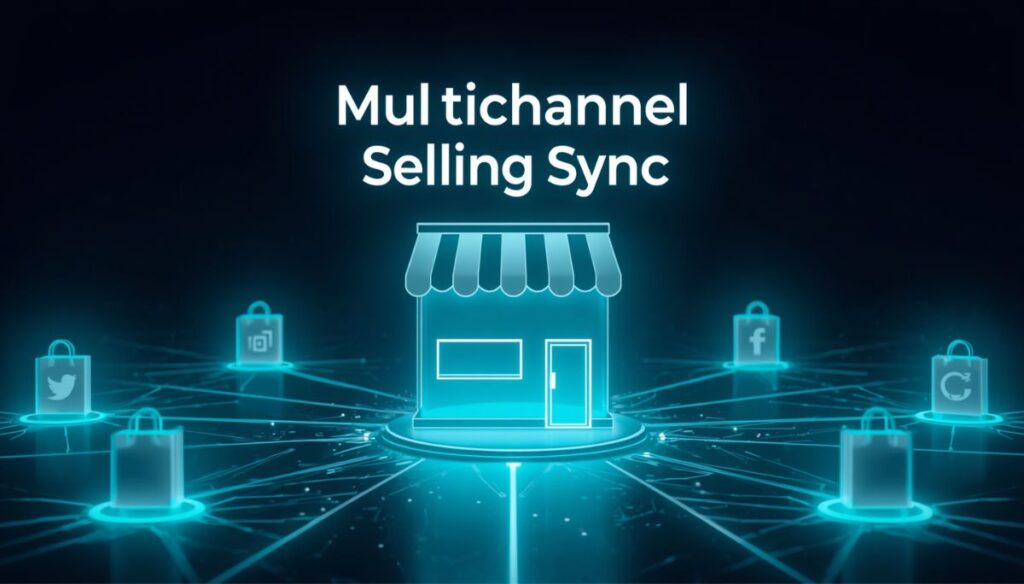
A modern digital storefront cannot afford to rely on organic web traffic alone. One of the strongest selling points packed into the GoDaddy ecommerce plan is its built-in suite of promotional and distribution tools.
Multi-Channel Marketplace Integration
Managing separate product inventories across different third-party websites often leads to overselling and inventory errors. GoDaddy solves this by turning your dashboard into a centralized inventory hub:
- Amazon & eBay Synchronization: List your product catalog directly to these massive online marketplaces. Whenever an item sells on your website or on Amazon, stock levels update across both channels instantly.
- Etsy Channel Connectivity: Perfect for handmade goods and boutique crafters who already command an Etsy following but want an independent domain without double-listing overhead.
- Social Commerce Integration: Easily integrate Facebook Shops and Instagram Shopping tags so mobile shoppers can browse products natively on their social feeds and jump directly to your GoDaddy checkout.
Email Marketing & Automated Sequences
Unlike many store builders that force you to buy third-party email automation subscriptions immediately, subscribing to the godaddy ecommerce plan provides access to native email capabilities directly from your central dashboard:
- Pre-Designed Templates: Visually polished email layouts for seasonal sales, newsletter updates, and product launches that automatically match your site’s font and color scheme.
- Automated Abandoned Cart Recovery: Send automated, time-sensitive reminder emails to shoppers who added items to their basket but left without checking out—one of the quickest ways to reclaim lost revenue.
Built-in SEO Wizard & GoDaddy Studio
- On-Page SEO Optimization: The guided SEO checklist suggests page titles, meta descriptions, image alt tags, and keyword tags tailored for search engines.
- GoDaddy Studio: A lightweight creative design tool integrated into your portal. Create custom banners, promotional badges, and Instagram story graphics without switching to external software.
Step-by-Step: How to Launch a Store with the GoDaddy E-Commerce Plan
Launching an online boutique on this platform takes minimal time. Here is the operational checklist to go live:
- Select Your Plan & Connect Your Domain: Sign up for the GoDaddy ecommerce plan. Choose between monthly or annual billing and link an existing domain or claim the free domain registration included with annual plans.
- Select an E-Commerce Theme: Browse the industry-specific store templates (fashion, digital goods, hardware, services). The visual editor allows you to swap global fonts, color palettes, and header layouts in seconds.
- Add Products & Categories: Click Add Product, specify physical or digital download, fill in titles, clear descriptions, set pricing, upload crisp product images, and organize items into logical categories.
- Configure Payment & Shipping Rules: Enable GoDaddy Payments or connect your Stripe/PayPal accounts. Define your flat-rate shipping, connect real-time carrier calculations, or set local store pickup options.
- Preview, Test Checkout & Publish: Run a test transaction using test mode to ensure order receipts and payment pathways function properly. Once verified, click Publish to take your online storefront live globally.
GoDaddy E-Commerce Plan: Detailed Pros and Cons
Evaluating both the operational strengths and realistic boundaries of the GoDaddy ecommerce plan ensures you pick the right tool for your specific business scale.
The Major Advantages (Pros)
- Unmatched Setup Speed: You can take a fully functional catalog and checkout process live in under an afternoon.
- No Server Maintenance: Fully hosted and monitored. You never deal with database crashes, manual server patches, or caching plugin conflicts.
- 0% Platform Transaction Surcharges: GoDaddy does not impose extra percentage penalties on sales beyond standard credit card gateway interchange fees.
- Unified Dashboard Management: Keep your domain name, SSL certificate, business email, store inventory, and marketing campaigns under one single login.
The Realistic Limitations (Cons)
- Design Customization Ceilings: The block-based builder does not offer open-ended CSS/HTML tweaking or granular grid control like Elementor or custom WordPress themes.
- Smaller App Ecosystem: Lacks the massive library of third-party add-ons and micro-plugins found on Shopify or WooCommerce.
- Not Built for Massive Catalogs: Enterprise businesses with tens of thousands of complex SKUs or heavy B2B wholesale portals will quickly outgrow its simplified architecture.

Head-to-Head Comparison: GoDaddy vs Shopify vs WooCommerce
Here is how the GoDaddy ecommerce plan stands up against the most prominent competing platforms:
| Feature / Factor | GoDaddy E-Commerce | Shopify (Basic) | WooCommerce |
|---|---|---|---|
| Setup Difficulty | Easiest (Beginner) | Moderate | Advanced (Requires Setup) |
| Starting Monthly Cost | ~$20.99 – $24.99/mo | ~$39/mo | Varies (Hosting Cost) |
| Extra Platform Fees | 0% Extra Fee | 2% if not using Shopify Pay | 0% Extra Fee |
| Design Customization | Standard Section Blocks | High (Liquid Code / Themes) | 100% Unrestricted |
| Marketplace Sync | Native Built-in | Requires Apps | Requires Dedicated Plugins |
| Ideal Target User | Small shops & fast launches | Scaling e-commerce brands | Developers & full custom stores |
High-Converting Affiliate Call to Action
Ready to Launch Your Online Store Today?
Start selling your products without technical headaches or complicated server configurations. Get the GoDaddy E-Commerce Plan now with a free domain, built-in marketing automation, and round-the-clock expert support.
Claim Your GoDaddy E-Commerce Plan Deal →Final Verdict: Is the GoDaddy E-Commerce Plan Worth It?
The GoDaddy ecommerce plan is built with clarity in mind. It eliminates the confusing technical barriers that routinely stop aspiring entrepreneurs from ever launching their stores.
If your goal is to set up a clean, secure, and professional online shop without having to learn coding, manage database tables, or configure dozens of standalone plugins, the GoDaddy online store offers one of the fastest returns on your time and money. While high-volume enterprise stores and complex multi-vendor marketplaces will still prefer the open flexibility of WooCommerce or the ecosystem depth of Shopify, GoDaddy remains an outstanding, stress-free launcher for small businesses and independent creators.
Frequently Asked Questions (FAQ Section – Rank Math Schema Ready)
Can I sell digital products on the GoDaddy ecommerce plan?
Yes. The GoDaddy ecommerce plan supports downloadable digital items including PDF guides, software, audio files, and digital art. The system delivers encrypted, secure download links directly to your buyer’s email address upon completed payment.
Does GoDaddy charge extra transaction fees per sale?
No. Unlike Shopify which levies an extra penalty fee when using non-native payment gateways, GoDaddy charges 0% in platform transaction surcharges. You will only pay the standard card processor fees (such as GoDaddy Payments, Stripe, or PayPal processing rates).
How many products can I upload on the GoDaddy online store?
The standard GoDaddy Commerce tier accommodates up to 5,000 distinct product listings with complete variation support. If your business catalog scales beyond this inventory count, you can easily upgrade to the Commerce Plus tier for unlimited listings.
Can I migrate to WooCommerce or Shopify later if my business scales?
Yes. You always retain ownership of your custom domain name and product catalog data. If your store volume expands to enterprise levels, you can export your product CSV databases and customer order lists and import them directly into WooCommerce or Shopify.